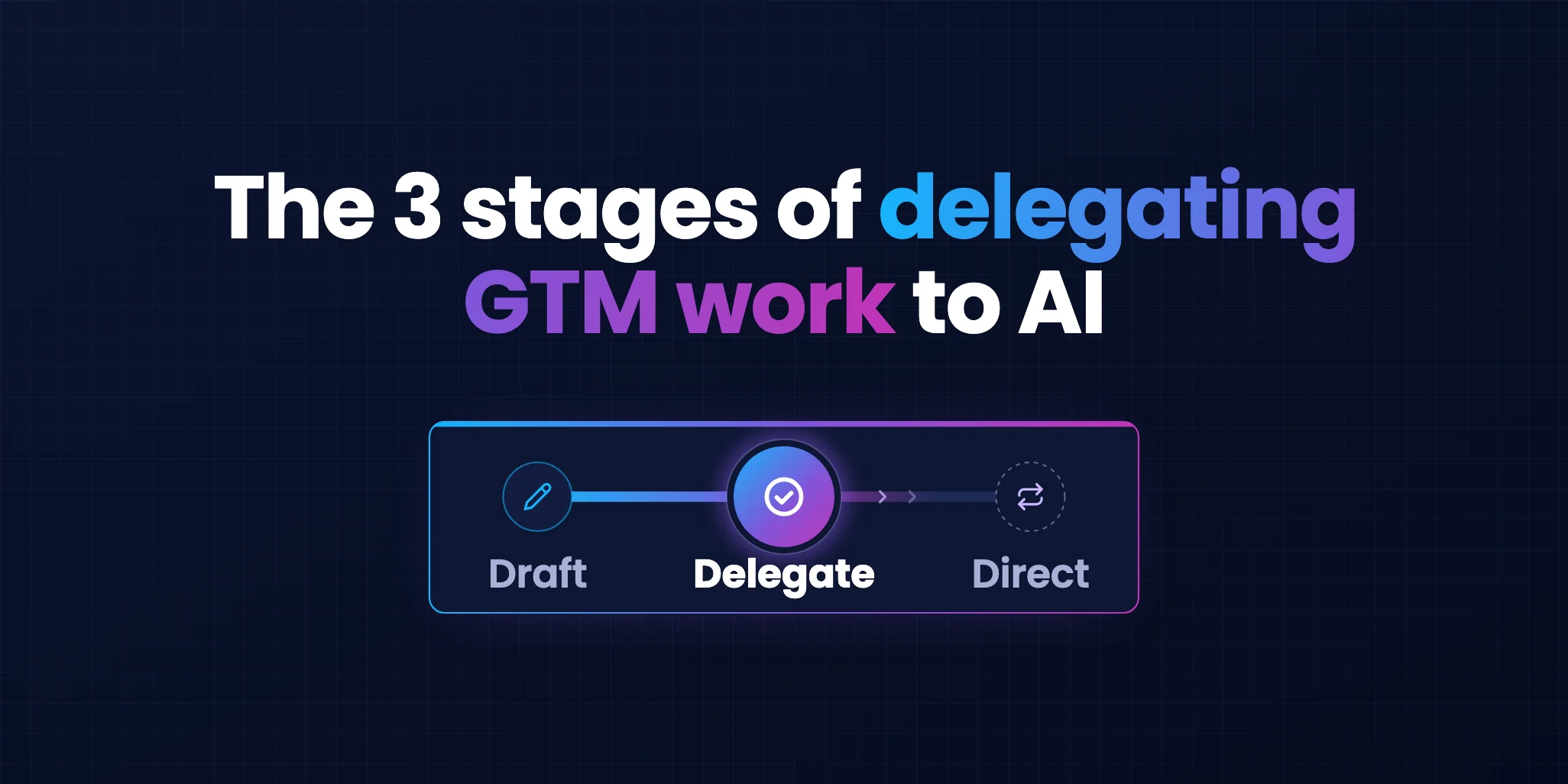
To delegate GTM work to AI, move each task through three stages. At the Draft stage, your AI creates and a person completes. At the Delegate stage, your AI does the work and a person approves at checkpoints. At the Direct stage, your AI repeats it and a person handles exceptions. A task climbs once it stops needing corrections.
Key takeaways
You promised yourself a LinkedIn post on that interesting angle you had in mind. But it's afternoon, and you have three more calls before six. So you give the angle to Claude, and it hands you back a draft in under a minute. The post looks fine at first glance. You edit it lightly and publish it under your name.
Later that week, you ask Claude to write the first message to a prospect you want to win. It drafts one in seconds too. You rewrite it once, then again, and by the next round you wonder why you bothered with AI at all.
You realise that AI makes something fast, and you either ship it after a quick edit or rewrite it until you could have done it yourself. I hold myself to one line that I learned the hard way.
"AI is leverage, not authority."
It speeds up the structure and the output of your work, and no one can argue with that. The judgement and the taste stay with you, and no one argues with that either. Where people have different takes is what that means for each task they hand over.
In this article, we dissect how much freedom different types of go-to-market work can earn, the stages of maturity, and the work that should stay with you for now.
I posted content and images on LinkedIn that I knew fell below my own bar. I want to be biased for action, and I wanted my feed to show activity. AI is very fast at this, and I approved the posts fast too.
Looking back, they were nowhere near good. I confused activity with progress, which is the habit my newsletter, End the Heroics, exists to fight.
My first aha moment came last year. Back then, prompt engineering and finding the best techniques were still the craft that made the difference. Skills and agents were on the rise but not yet widely used, and some of the best prompts created a lot of value.
I took the best prompting techniques apart and reverse-engineered them into prompts for strategic work, such as an ideal customer profile, positioning, content plans, campaign briefs and ad iterations. Let me stay with the ideal customer profile, or ICP, which is a clear picture of the companies and the people you want to sell to.
This particular client we worked with sells to retail and gaming brands. The work the prompts produced covered six industries, two primary and four secondary. For each industry, it broke down the sub-sectors, the well-known companies in each, the market dynamics that create urgency and the buying committee. It went into the nuances of that committee, such as the KPIs each role cares about, and it set out the triggers you can observe and the pain signals that show an account needs help. It also mapped the target market and the competitors, all in one Google Sheet.
It was the best ICP I had ever seen. Of course, I stepped in and made some edits, but by my own estimate, Claude did about 95% of the work at the level of a founder or an executive who leads marketing or sales. The client said it was very good, and these ICP assets went on to feed their product marketing, including their sales enablement material.
That was the moment I saw AI produce a strategic asset far beyond a first draft. Now hold both stories side by side, because the same kind of tool gave me my best strategic work and a stack of posts I regret.
The difference came down to one question you can ask about anything you hand over: has it earned the right to work without you checking every step?
A restaurant kitchen shows you how to hand over work in steps, with one person keeping the last look before anything reaches the customer.
Think about the last time you ate in a busy restaurant. Before your plate reached the table, it crossed the pass, the counter between the kitchen and the dining room. The head chef stands there and looks at every plate before it goes out.
Here is how a new cook gains freedom in that kitchen:
When the chef stops sending plates back, the newcomer climbs a step. A single bad night sends them back to prep.
Your process of delegating to AI goes through three similar steps. Like the chef, you keep the last look before anything reaches your customer.
A cook learns and remembers, while your AI improves because you put your corrections back into the instructions of its skills and prompts. If you're further along, your corrections go into your context layer and the harness around your AI.
The three stages are Draft, Delegate and Direct. Think of them as a maturity curve, where each task climbs at its own pace.

The ICP from my aha moment belongs to the Delegate stage. This is where AI builds the analysis, and you check it before your customer sees it and before anyone acts on it.
For a while, one of the loudest promises in sales tech was the AI SDR. It's software that finds prospects, writes to them and sends the messages on its own.
Amos Bar-Joseph, who leads Swan AI, recalls how vendors pitched the first wave: connect your inbox and go on vacation. Vendors sold it as the Direct stage, where your AI keeps the work going alone, and it didn't go well.
He compares it to hiring a rep with no onboarding and judging them on day one. The AI did what an untrained rep does: it spammed the market, sank reply rates and left every CRO explaining the line item to the board.
"Undefined work can't be delegated."
- Amos Bar-Joseph, Swan AI
Today only 7% of companies call these AI SDR campaigns a core channel, and that share has fallen by four points. Kyle Poyar and Maja Voje's 2026 State of B2B GTM Report surveyed 300 software and AI companies and rates these campaigns very poor on return at every size.
This is the price you pay when you hand out the Direct stage on day one.
More agents won't help on their own, because an agent copies the process you give it.
Picture your team with ten agents for every seller. Gartner predicts that ratio by 2028, and in the same prediction, fewer than 40% of sellers will say the agents improved their productivity. Dan Gottlieb, a VP Analyst at Gartner, explains the gap.
"If those systems are fragmented, the agents will scale the fragmentation."
- Dan Gottlieb, Gartner
A messy process comes back to you at a much bigger volume.
Your prospects want to see a person in the loop too, and another Gartner survey puts a number on it. Of the 645 B2B buyers Gartner surveyed, 69% prefer to check what AI tells them with a salesperson.
Even the company behind Claude works this way. Anthropic's business development team lets Claude draft its emails, and one of its rules is to keep a person on every send. Claude writes the drafts, and the reps still edit and send every message themselves.
Trust in agents still grows, and it grows with a record. Anthropic studied how people use Claude Code, its coding agent. New users let it act without asking permission in about one session in five, and after 750 sessions, in more than two in five. A process with checkpoints builds that record faster than a bigger model does.
Outbound is only one of the places agentic AI appears in go-to-market, but it shows the shift very clearly. The first wave chased volume, and the work now moves toward relevant triggers and signals, often called signal-based campaigns.
You might ask if cold outreach still works at all. Adam Carr, the CRO at Apollo, gives a blunt answer.
"True cold outbound is dead."
- Adam Carr, Apollo
His point is that the skill now is spotting which signals show intent, and those signals differ by company, industry and customer. Apollo sells signal data, so Carr has a stake.
Here is what that looks like in practice. A VP of Marketing at a UK data company took a call with me because of timing. Our email reached her the day after her team posted a job ad, and it spoke to the challenge in that ad. She told me that if it had arrived two weeks later, she probably would not have replied.
The signal routines that work combine first-party data, such as visits to your site, engagement with your content and downloads, with third-party data, such as job changes, hiring and funding. The first shows you who is paying attention to you, and the second shows you why they might need help now. We broke down what a B2B buying signal costs in a separate post.
Our own nightly routine checks who engaged with my LinkedIn posts, who connected, who downloaded our free resources and which companies visited our site. Then it adds job changes, funding and headcount growth.
The more interesting part comes before any message is written. For each contact, our AI goes through the person's own LinkedIn posts and the company page's posts from the last month. It looks at the team structure, the live job ads, the news and the events the company attends. A stand at a trade show or a new hire on the team often gives you a better reason to write than anything about your own product.
Research is where AI earns the biggest compliment I can give it. It finds information across dozens of sources, pulls it together in minutes and writes a first draft that already knows the account. A person would need an afternoon to do the same for one contact.
Where you can't trust AI yet is the final copy.
The same holds for thought leadership. When your AI holds your positions, your proof and your voice in an AI content brain, it can give you back hours of writing every week. We built Studio on that promise: thought leadership without the writing hours.
You still edit the final copy so it stays true to who you are and how you want to sound.
Grok Bot lets you set up always-on AI teammates, each with a single task and its own memory, on a cloud computer that keeps working after you close your laptop.
Eric Siu shared the 21 Grok Bot jobs his team at Single Grain built for marketing, from SEO and content to paid, sales and hiring.
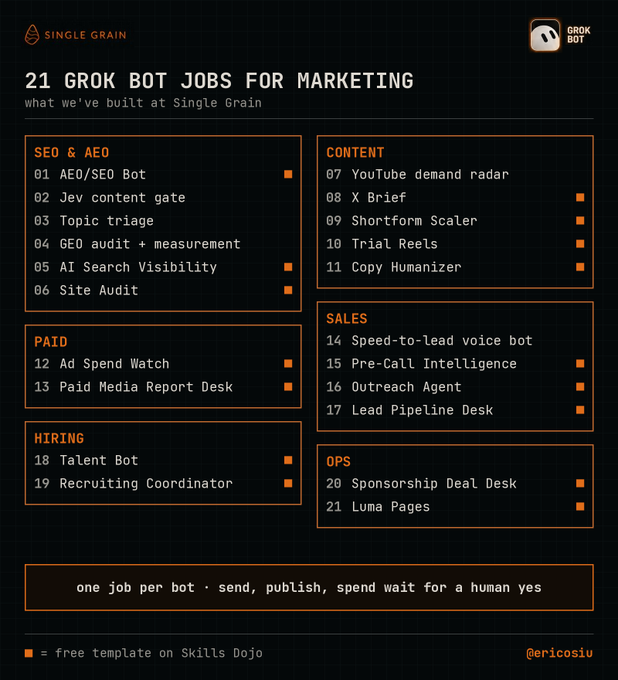
Look at the bar along the bottom, where his rule says that send, publish and spend wait for a human yes. Actions that cost money or reputation stay with a person.
We plan to spend time with Grok Bot in the coming weeks, starting with tasks that never touch a customer in a direct interaction.
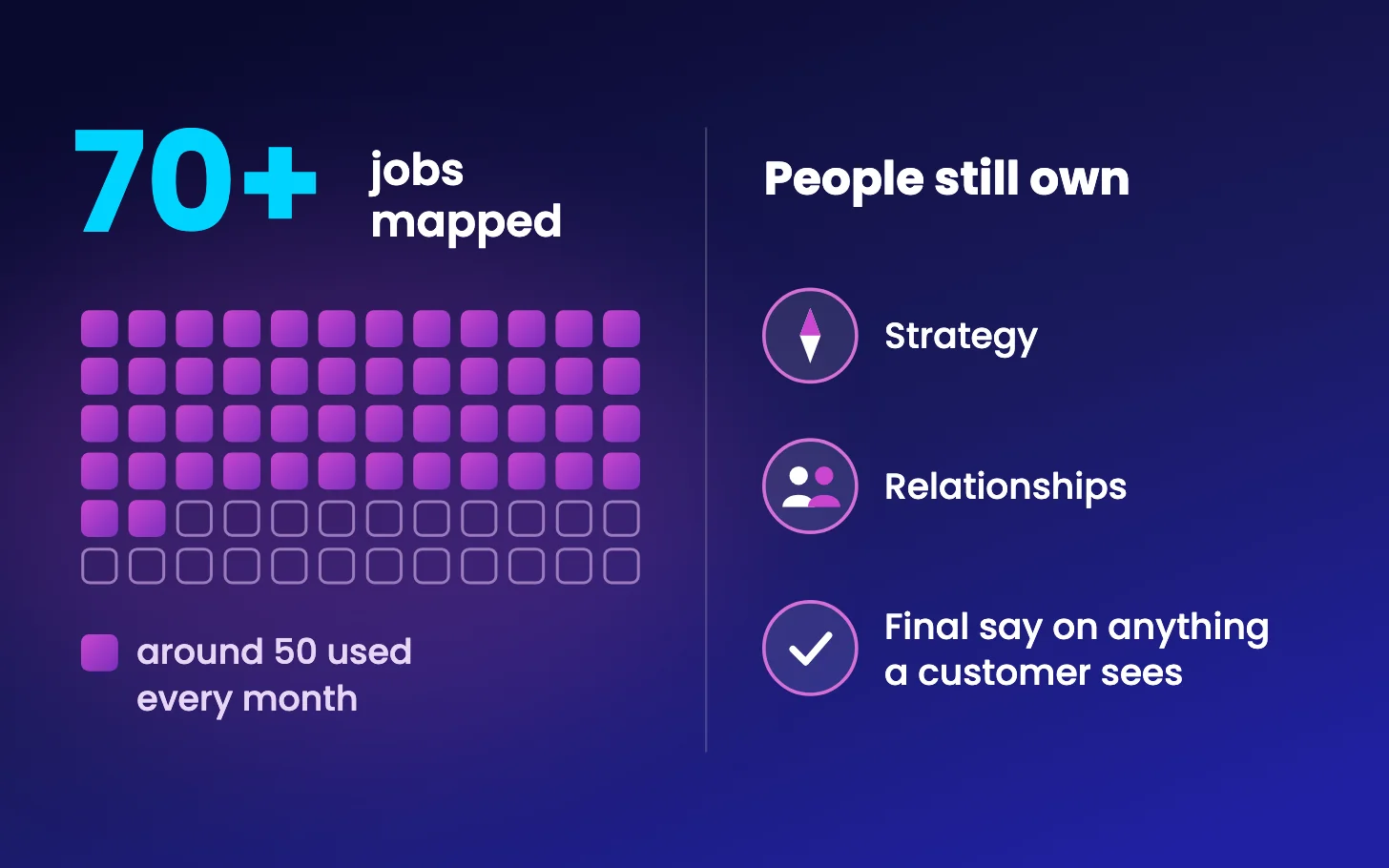
We have mapped over 70 tasks we hand to AI, and we use around 50 of them every month. People still own the strategy, the relationships and the final say on anything a customer sees.
Let me give you one example from each stage, from the no-brainer to the one that went wrong.
Our AI logs every send in HubSpot, creates the follow-up tasks and updates the records, and I go through a daily summary. A mistake here costs little, and prospects never see it. Here are more examples at the Direct stage:
I did it by hand more than five times and added my feedback to the AI's instructions after each round. Now our AI checks each new lead's role and company, scores the fit and routes the strongest, and I review the edge cases.
This one shows you why the Draft stage exists. Recently our AI drafted a first message to a prospect whose sales team was growing fast.
The first draft opened by praising his sales team, then listed his company's follower count and what his people posted. I sent it back, because research should shape the angle and stay out of the message. The second version opened too long, used an internal word he would not know and closed on a filler line.
The third version needed a plain line on what we do and a clear offer. I sent the message after seven rounds.
Then I counted every message in our log. Across 27 of them, I sent each draft back 5.3 times on average.
My rule for outbound is this: write your first 50 to 100 messages yourself, and only once you've done it by hand, let AI learn your voice from them.
Here's a selection from our own map, with one row for each of the seven phases of our work. It's not the full list, which holds over 70 tasks. Save it, and hold your own list against it.
| Phase | Draft stageYour AI creates, a person completes | Delegate stageYour AI does the work, a person approves at checkpoints | Direct stageYour AI does repetitive work, a person steps in on exceptions |
|---|---|---|---|
| Phase 1Win the client |
|
| None yet |
| Phase 2Strategy and messaging |
|
| None yet |
| Phase 3Plan |
|
|
|
| Phase 4Build |
|
| None yet |
| Phase 5Campaigns |
|
|
|
| Phase 6Measure and learn | None yet |
|
|
| Phase 7Operations | None yet |
|
|
Everything in the Direct column works behind the scenes, and anything that reaches a customer stops at the Delegate stage or earlier.
You might be thinking this sounds like a lot of admin for a busy team. Work through your list with the five steps below, and you end with one page that shows where everything stands. Our own bar is still in testing, so treat the numbers as a starting point.
Here is what one row looks like, taken from our own page.
| Work | A customer sees it | Average rounds | Stage | Owner |
|---|---|---|---|---|
| First messages to prospects | Yes | 5.3 | Draft | Aleks |
Done looks like one page with everything on your list and an answer for each of the five steps.
Three ideas carry this whole article:
Start with the audit this week. Then take the work you correct most and look back at the last five changes you made to it. Each of those changes is a rule your AI hasn't learned yet, so write it into the instructions your AI follows next time. Depending on how far along you are, those instructions live in a prompt, a skill or a harness.
I'd happily spend seven rounds on a message to a prospect I want to win. I'd hate to spend them on work my AI could already handle alone, or could handle once it learned a few of my rules. A GTM AI delegation map shows you where you waste your time and which hours you can take back.
If you want help with your own list, I'll build your GTM AI delegation map with you, for free. It's the same exercise we went through for the over 70 tasks on our own map.
Here's how the session works. You book a 45-minute session, and I send you a short form before we meet. On the call, we sort everything on your list into the stage it has earned. Within two days, you receive a one-pager that shows you three things:
Book your GTM AI delegation map here: [HubSpot meetings link]. I check every map myself, so I can do three this month.
Start with work that never reaches a customer and costs little when it goes wrong. Keeping the CRM up to date, enriching contact details for a defined list of target accounts, filing sales calls with a summary and next steps, and logging how every post performed are good first tasks. Keep anything a customer sees, such as first messages, posts and proposals, at the Draft or Delegate stage with a person checking it.
Count how often you sent back or rewrote the last ten outputs. More than two rounds on average keeps the task at the Draft stage, two or fewer puts it at the Delegate stage with checkpoints, and only work that no longer needs corrections and never reaches a customer moves to the Direct stage. If a serious mistake slips through, such as a wrong fact or a wrong person, move the task down a stage.
Keep a person on every send. Anthropic's own business development team lets Claude draft emails while the reps edit and send every message themselves, and Gartner found that 69% of 645 B2B buyers prefer to check what AI tells them with a salesperson. Fully autonomous AI SDR campaigns have also lost ground: only 7% of companies in the 2026 State of B2B GTM Report call them a core channel.
Human in the loop means a person checks the AI's work before it reaches a customer or before anyone acts on it. In practice it changes with the stage: at the Draft stage a person completes every piece, at the Delegate stage a person approves at agreed checkpoints, and at the Direct stage a person reviews the results and steps in on exceptions. The rule that holds at every stage is that a person stays on everything a customer sees.